01 / CAPTURE
Stay in the meeting, not in your notes.
Record with your microphone or import a WAV, MP3 or M4A file. On Windows, capture system audio too. No meeting bot joins the call.

A LITTLE CLARITY. A LOT OF POSSIBILITY.
Record meetings without bots. Turn them into searchable notes, clear summaries and connected knowledge with Private Azure Cloud.
Public previewWindows · macOS · Android · iPhone
MEET RECAPP
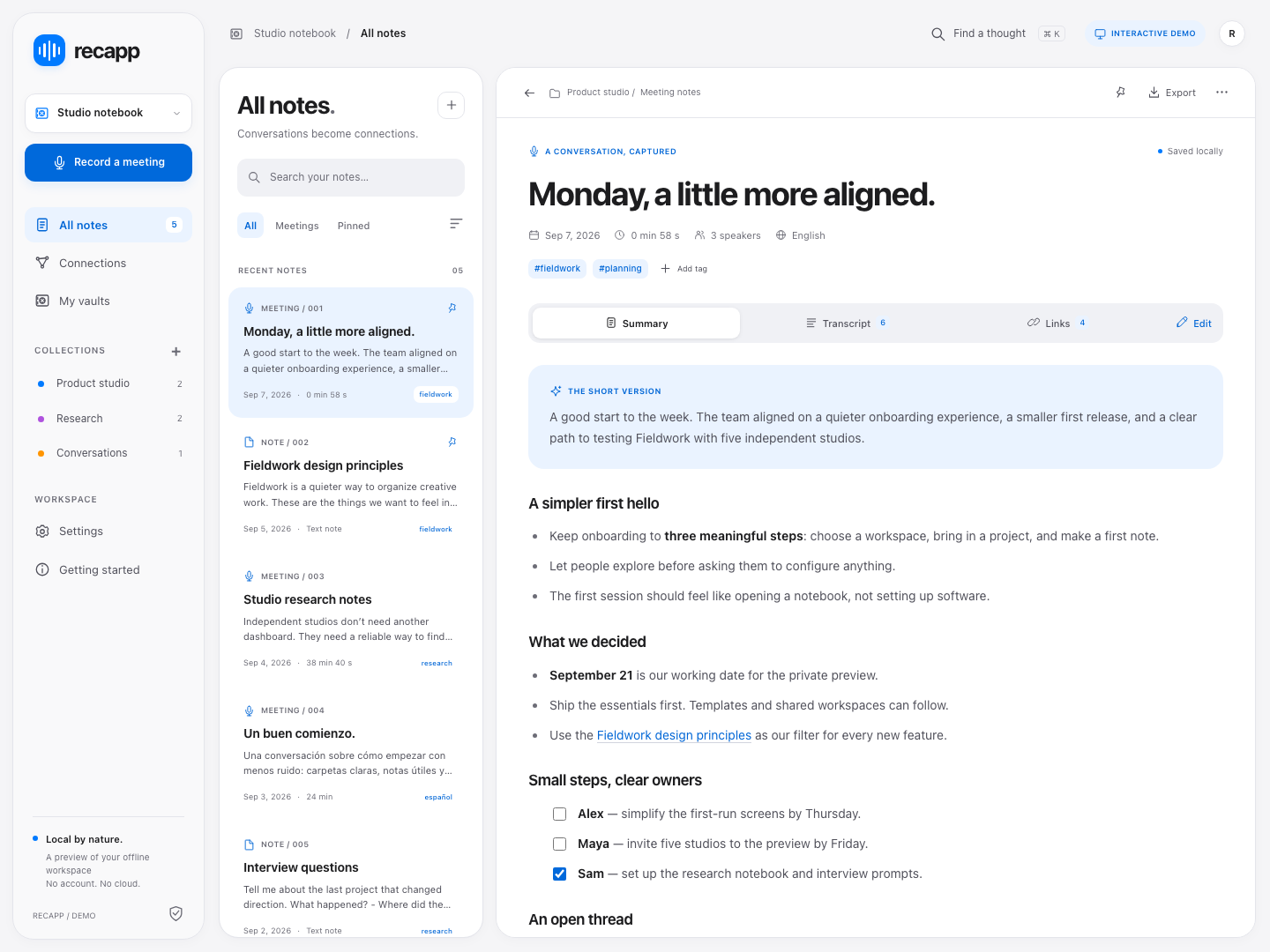
See how Recapp turns your recordings into useful notes and a connected workspace.
How it works
Stay with the conversation. Recapp helps you keep the details.
Keep the launch focused. Start with the new welcome experience and learn from customer feedback.
Keep related conversations one connection away.
01 / CAPTURE
Record with your microphone or import a WAV, MP3 or M4A file. On Windows, capture system audio too. No meeting bot joins the call.
02 / UNDERSTAND
Review the transcript, summary, decisions and action items. Ask questions with references to the meeting using Private Azure Cloud.
03 / CONNECT
Search past notes and follow links, backlinks and the knowledge graph to reconnect decisions, people and projects.
MEETING MEMORY THAT WORKS
Search past meetings, ask a meeting note questions and follow related notes to recover the context behind a decision — not just the words that were said.
Links, backlinks and a knowledge graph put ideas in context.
Your workspace is a folder of readable Markdown files, saved on your device.
Include a screenshot you choose when the image matters to the meeting.
Pro generates report summaries from saved summaries and action items.
Use earlier decisions and action items to prepare the next agenda or minutes. Connect recurring topics across meetings, save useful answers as notes and export portable Markdown when knowledge needs to be shared.
Recapp
Choose your device. Recapp is in public preview: review generated notes against the recording and keep backups of important workspaces.
Checking available builds…
ENTERPRISE · INTERACTIVE DEMO
The work you do in Recapp is the starting point for company intelligence. Follow meetings, notes and follow-up questions through shared insights to business priorities, decisions and measurable outcomes.
Recorded or imported meetings, summaries, edited notes, saved conversations, reports and task updates provide the context.
Contributions shared for the company retain their source links. Recurring topics across teams become signals linked to business drivers.
Review proposals, assign owners and measure results using business-system KPIs. Outcomes inform the next review.
Only contributions shared for company knowledge feed this view. Executives see aggregate insights and source references, without recordings, transcripts or private chats.
Pricing
Start free. Add Pro when you need more room for your work.
Recapp Pro
USD $8.99 /month
Or USD $79.99 billed yearly. Prices exclude applicable taxes.
Recapp Free
30 days with every Pro feature and unlimited meetings. Then read-only access; upgrade to keep creating.
Download RecappSign-in is required. Purchase options appear in the app when available; iPhone subscriptions use local App Store prices. Pro supports Google and Outlook calendars with separate read-only consent, multiple accounts and a unified meeting view. Availability depends on provider setup and consent policies. OneNote, Notion, Jira, Salesforce, Asana and HubSpot remain previews. Enterprise requires a custom implementation; contact support@recapp.ca.
Recapp
At your desk. On your way. Wherever ideas happen.